
TL;DR
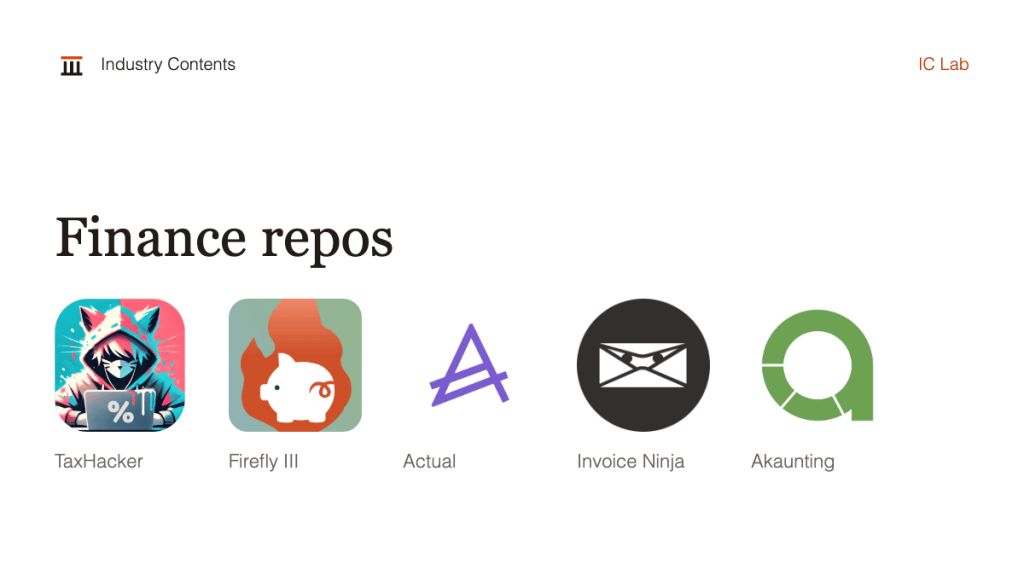
- TaxHacker reads receipts and invoices with an AI model, while Firefly III, Actual, Invoice Ninja and Akaunting handle the books, budgets and billing around them.
- Only TaxHacker is built around a language model, so the other four should carry no model bill.
- Licences differ more than the star counts suggest. Invoice Ninja is source available under the Elastic License and Akaunting uses a BSL licence, so read each LICENSE file before a company adopts either.
- Every project needs someone who can run Docker or a PHP server, and the budget should include hosting, backups and a person who owns updates.
The month end routine at many small finance teams still starts with a folder of receipts and a pile of invoice PDFs. Typing them in is slow and easy to get wrong, which is why GitHub repositories for finance teams that read, store and total them keep turning up.
The five below do different jobs, from extracting figures out of a photographed receipt to sending an invoice and tracking the payment. They are not interchangeable, and a finance lead should pick the one that matches the task the team repeats most often. These are documentation based setup notes, and Industry Contents did not install or test them.
| Repository | Use case | Stars | Licence | Biggest catch |
|---|---|---|---|---|
| TaxHacker | AI extraction from receipts and invoices | 6.7k | MIT | The README calls it early development |
| Firefly III | Income, expenses and double entry records | 25.1k | AGPL-3.0 | Built as a personal finance manager |
| Actual | Envelope budgeting with device sync | about 29.1k | MIT | Budgeting tool, not a ledger for a company |
| Invoice Ninja | Invoices, quotes and time tracking | 10.0k | Elastic License (source available) | Not an OSI approved open source licence |
| Akaunting | Small business accounting | 10.3k | BSL | Licence terms need reading before commercial use |
GitHub hosts the code, README instructions and licence. Downloading a ZIP does not install anything, so use each project’s documented route. Docker packages software with its dependencies, and Docker Compose starts several connected services together. Use invented or public sample documents for every first trial.
1. TaxHacker for receipts and invoices
What it does. TaxHacker is a self hosted accounting app built by developer vas3k. It uses an AI model to pull dates, amounts, vendors and line items out of receipts and invoices, then sorts them into categories you define.
You need. Docker, a PostgreSQL database (version 17 or later) and an API key for OpenAI, Google Gemini or Mistral. Any OpenAI compatible local endpoint also works, such as Ollama, although the README warns that local models may produce unreliable text recognition.
- Download the project’s
docker-compose.ymland rundocker compose up. The default image comes from GitHub Container Registry. - Add your model provider key in the settings and upload ten public sample receipts, including one blurry photo.
- Compare every extracted date and total with the original, and note how many need correcting.
Expected result. A searchable list of transactions with exports. Treat the extracted figures as drafts until a person has checked them.
Running costs. Hosting, backups and model usage. The README says documents sent to a third party model are governed by that provider’s handling, and that you are responsible for their privacy. It also describes exposing the app safely to the internet as awkward, so keep trials on a private network.
2. Firefly III for a double entry ledger
What it does. Firefly III is a self hosted personal finance manager. It tracks income and expenses with budgets, categories, tags, recurring transactions, rules, double entry records and a REST API.
You need. A server or the Docker image, with Kubernetes and several hosted options also listed. The project says it does not contact external servers unless you tell it to, which suits teams that do not want financial records in the cloud.
- Try the public demo at demo.firefly-iii.org first, since it needs no installation.
- Install the Docker image on a private machine and enter one month of invented transactions.
- Write two rules that categorise recurring payments, then check they fire on the right entries.
Expected result. A categorised ledger and reports. It is built for individuals, so a multi person company would need to test whether its permissions and reports fit.
Running costs. A small server, backups and an owner for upgrades. The AGPL-3.0 licence has conditions if you modify the code and offer it as a service.
3. Actual for envelope budgeting
What it does. Actual is a local first budgeting app written in Node.js that centres on envelope budgeting, where each pound or euro is assigned to a spending category before it is spent.
You need. Nothing for a local trial, because desktop apps for Windows, Mac and Linux run on the machine. Syncing across devices needs a sync server, which you can run with Docker or buy through one click hosting such as PikaPods at about $2 a month or Fly.io at about $1.50 a month.
- Install the desktop app and build a budget from three months of invented spending.
- Start the Docker sync server and connect a second device.
- Change a category on one device and confirm the other shows it.
Expected result. A working departmental or personal budget. It does not replace accounting software, so it will not produce statutory accounts.
Running costs. Close to nothing if you stay local, or a few dollars a month for hosted sync. Someone still has to back up the budget file.
4. Invoice Ninja for billing clients
What it does. Invoice Ninja is a Laravel application for invoices, quotes, projects and time tracking, with a client portal, an API and apps for phones and desktops.
You need. A server or virtual machine with PHP and Composer, or Docker, Cloudron, Softaculous, Elestio or YunoHost. The README recommends Stripe for payments and Postmark for email.
- Clone the stable v5 tag with
git clone --depth 1 -b v5.11.53 https://github.com/invoiceninja/invoiceninja.git, copy.env.exampleto.envand install withcomposer i -o --no-dev. Check the README for the current tag before copying that version number. - Visit
/setupto configure the app, then create a test client and a test invoice. - Send the invoice to your own address and open the client portal link.
Expected result. A working invoice flow. Back up the APP_KEY value in .env, because the README warns that losing it means the application can no longer run.
Running costs. Hosting, email and payment fees, plus a $40 a year white label licence if you want to remove Invoice Ninja branding from client facing pages. The project describes itself as source available under the Elastic License, which is not approved by the Open Source Initiative, so a company should read the LICENSE file before using it commercially.
5. Akaunting for small business accounting
What it does. Akaunting is accounting software for small businesses and freelancers, built on Laravel, Vue.js and Tailwind with a REST API. It is modular and has an app marketplace.
You need. PHP 8.2 or later, Node.js 18 or 20 (the README says Node 21 and later is not supported yet), a MariaDB, MySQL, PostgreSQL or SQLite database and a web server such as Apache or Nginx.
- Clone the repository, run
composer installandnpm install, then runphp artisan installwith database and admin details. - Create a sample company with a few invented customers, bills and bank accounts.
- Record one invoice and one payment, then review the resulting reports.
Expected result. A bookkeeping system for a small company. Whether its reports meet your country’s filing rules is a question for your accountant.
Running costs. Hosting, upgrades and any marketplace apps, although the README does not say whether apps are paid. The repository lists a BSL licence without spelling out its terms on the page, so read LICENSE.txt before commercial use.
What to measure
Record setup hours, time to a checked result, corrections per hundred documents and monthly running costs. Compare them with the current manual process on the same samples. Our build or buy guide covers the wider decision, and the IC Lab GitHub repository hub lists more projects.
Money software also attracts fraud, and a tidy ledger does not prove a payment was genuine. Our reporting on why payment checks still miss identity fraud explains why the controls around the software matter as much as the software.
Methodology and sources
Official repositories and their README files were read on 7 November 2026. Commands are documented steps or explicitly identified adaptations, and Industry Contents did not run them. Trials and setup effort are editorial judgements, and no performance or maintenance time measurements were taken.
- TaxHacker on GitHub
- Firefly III on GitHub
- Actual on GitHub
- Invoice Ninja on GitHub
- Akaunting on GitHub
FAQ
Which GitHub repository should a finance team try first?
The one that matches the task you repeat most. TaxHacker suits receipt capture, Firefly III suits a ledger, Actual suits budgets, Invoice Ninja suits billing and Akaunting suits small company bookkeeping.
Are all five repositories AI tools?
No. Only TaxHacker is built around a language model, and the other four are conventional finance software.
Is open source accounting software free to run?
No. Hosting, backups, updates and any paid add ons cost money, and licences differ, so check each LICENSE file before a company adopts one.
Can finance data go to an AI provider safely?
Not automatically. TaxHacker’s README says data sent to a third party provider is governed by that provider and that you are responsible for its privacy. Use invented documents until a technical colleague has reviewed the setup.
Do these meet statutory accounting rules?
That depends on your country and your accountant. None of the READMEs reviewed here promise compliance with local filing rules.
Spotted an error? Contact the desk.